RawMath · concrete calculator
The concrete calculator that shows the waste.
Work out how much concrete a pour needs, what it costs, and how many bags that is. Raw volume, the waste allowance and the order quantity are three separate rows, so nothing is quietly folded into the total.
Eight pour shapes. Bags and ready-mix costed side by side. Feet and inches or metres and millimetres, with the answer in cubic yards, cubic feet and cubic metres at once.
Three things this calculator does differently
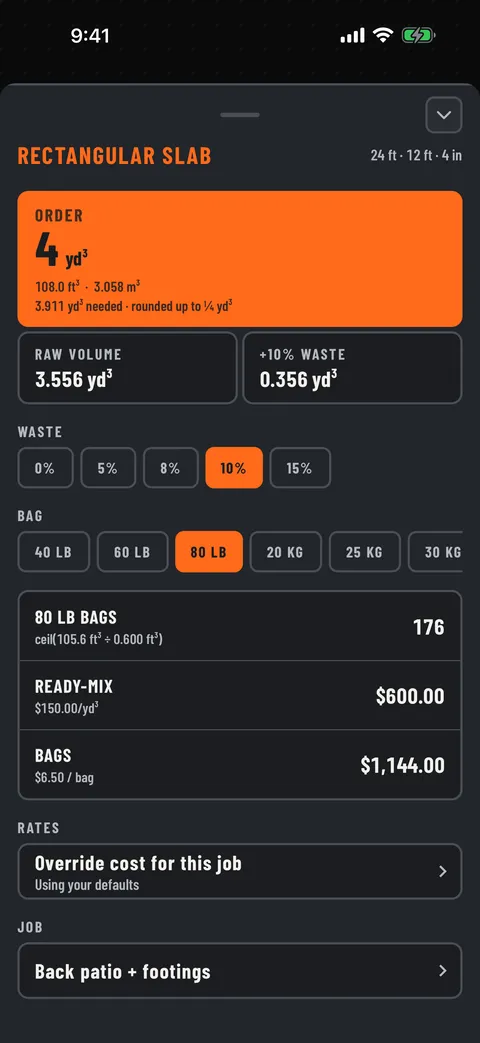
Waste is its own line
Raw volume and order quantity are separate rows with the allowance printed between them, at whatever percentage you set. The usual is 5 to 10% for spillage, over-excavation and an uneven subgrade. You can see what you are paying for twice.
Bags and ready-mix, both
Every pour is costed twice, once per cubic yard or cubic metre for ready-mix and once per bag, and both totals sit on the screen together. You know which way is cheaper before the truck is booked.
The order is rounded the way it is sold
Ready-mix comes off the truck in quarter yards, and bags come whole. The order figure rounds up to the step your supplier actually sells in, and the exact volume it came from is printed underneath it.
What the app does
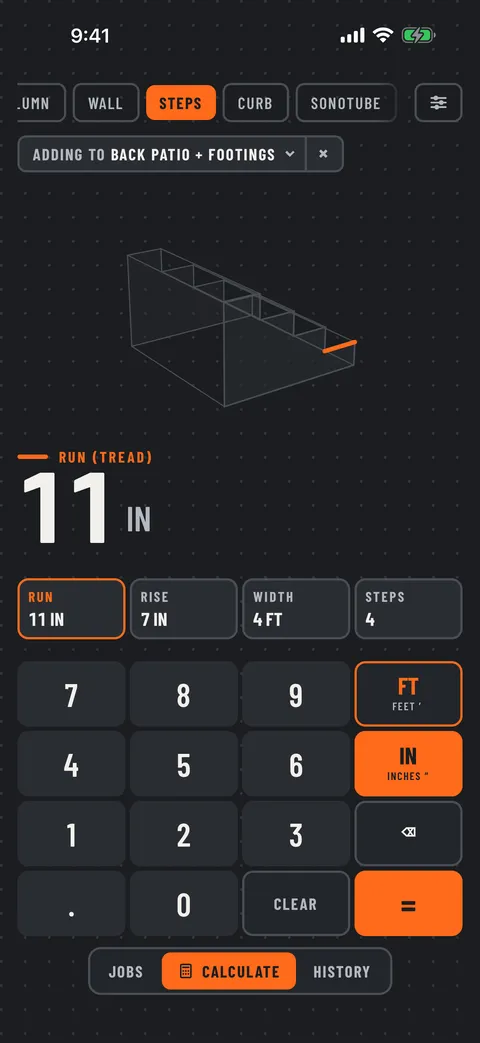
Eight pour shapes, a running job total, and fifty calculations of history. Everything is worked out on the device, so it keeps answering with no signal on site.
Eight pour shapes
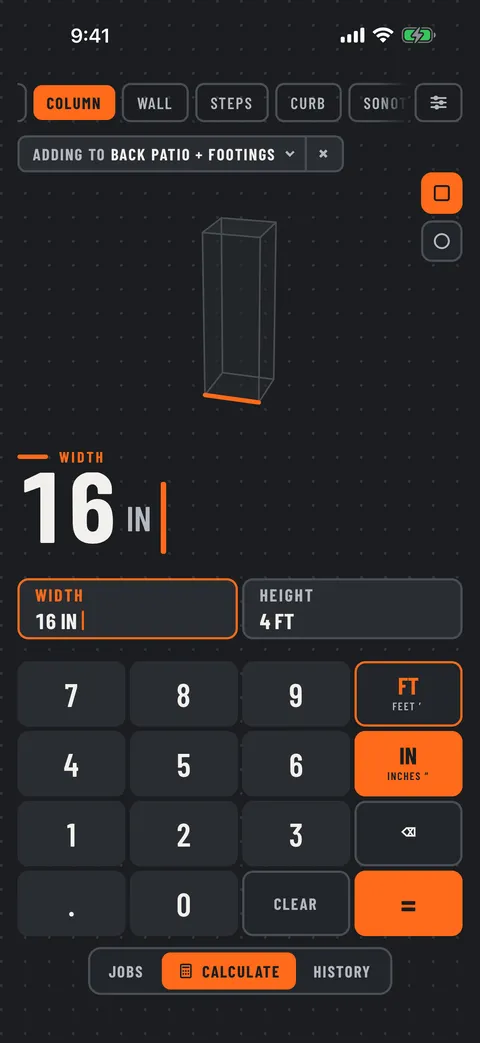
Rectangular and circular slabs, footings, columns and posts, walls, steps, curbs, and tube forms. Each one drawn as you type it.
One job, many pours
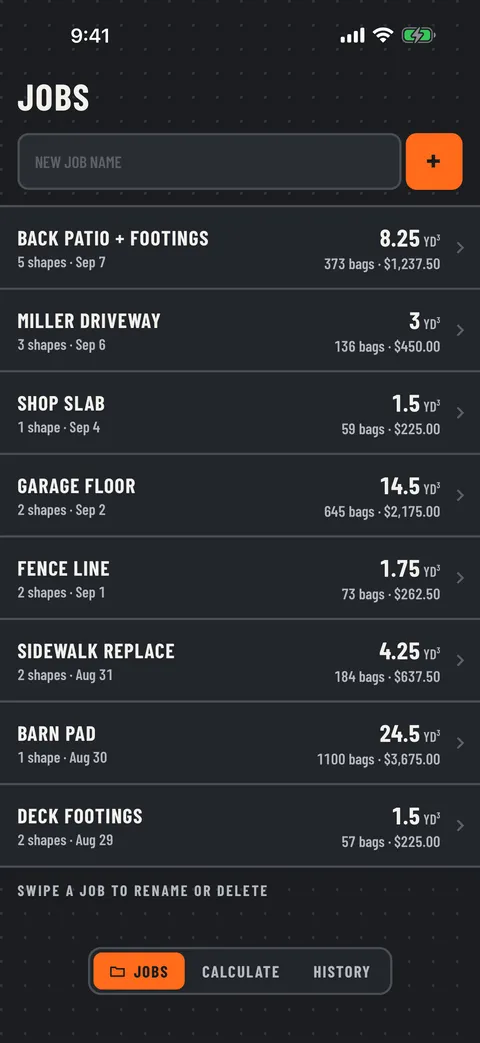
A driveway is rarely one pour. File each one into a job and every pour in it adds up to a single figure.
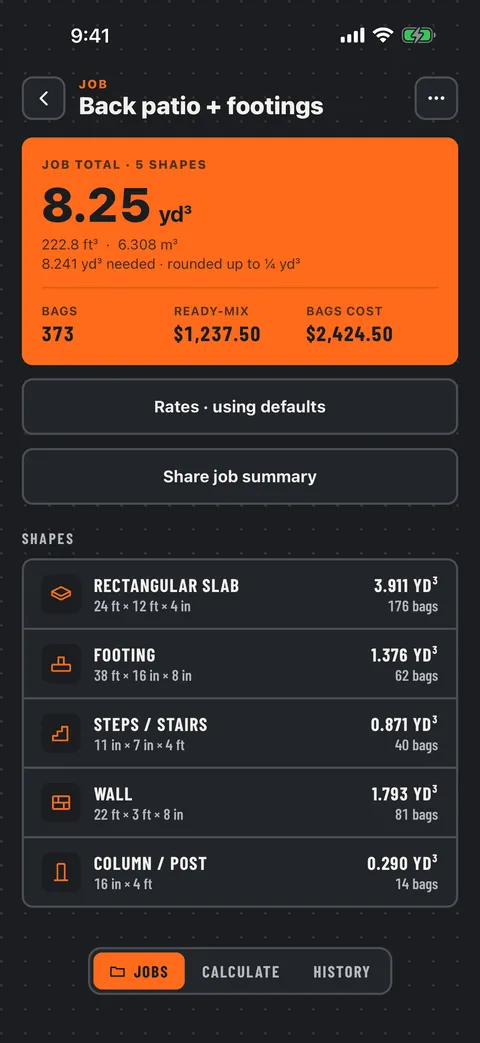
A number to order against
Volume, bags and both cost totals for the whole job, with every shape that went into it listed underneath.
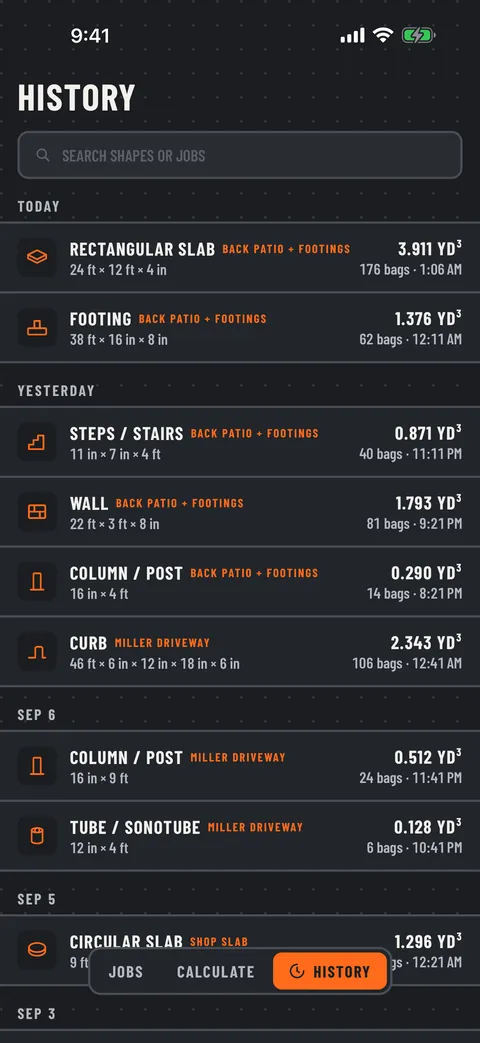
Fifty calculations back
History keeps your last fifty, with the dimensions attached. Any of them can be duplicated and edited instead of typed again.
Where the numbers come from
A volume calculator is only as good as the constants under it, so the app prints where each one came from rather than presenting all of them as equally solid.
Bag yields
Published, then derived
The 40, 60 and 80 lb figures are Quikrete's published coverage: 0.30, 0.45 and 0.60 cubic feet. The 20, 25, 30 and 40 kg sizes are derived from that same yield density, because the bag makers do not all publish one, and the app labels them as derived instead of passing them off as a manufacturer's.
Units
Both systems, one answer
Type in feet and inches or in metres and millimetres. Cubic yards, cubic feet and cubic metres come back together, so you never convert by hand to read a supplier's quote.
Cost
Your rates, not ours
Set a ready-mix rate per cubic yard or cubic metre and a price per bag, save them as defaults, and override either on a single job when a quote comes in different.
Sharing
Plain text, with the inputs
A pour or a whole job shares as plain text with the dimensions included, so whoever reads it can check what you typed and not only what you got.
On the device
Works with no signal
Calculations, dimensions, jobs and history stay on the phone and need no account. Buying and restoring a purchase need internet. Usage analytics and crash reporting can be switched off in Settings.
What it is not
A volume calculator
RawMath works volume out from the dimensions you type. It does not size structural members, specify a mix, schedule reinforcement, or check anything against a building regulation. Bag yields are coverage figures and shift with how wet the mix is worked.